Cubic Yards Calculator
Enter every measurement Cubic Yards Calculator asks for, then press Calculate. The result stays blank while you are still typing.
Press Calculate after the entries are in.
What Cubic Yards is for
Cubic Yards Calculator is the page to open when you need cubic yards from measurements you already have. It belongs with the other construction calculators because that is the work this arithmetic supports. Mixed feet and inch fractions belong on the feet-and-inches length. Type the entries first. The result stays hidden until you press Calculate, so a half-finished form never flashes a number you might mistake for the answer.
How to fill in this calculator
- Length. Enter the value this part of the job needs. The unit list on this field includes in, ft, yd, cm, m.
- Width. Enter the value this part of the job needs. The unit list on this field includes in, ft, yd, cm, m.
- Depth. Enter the value this part of the job needs. The unit list on this field includes in, ft, yd, cm, m.
- Price (optional). Enter the value this part of the job needs.
The formula in plain language
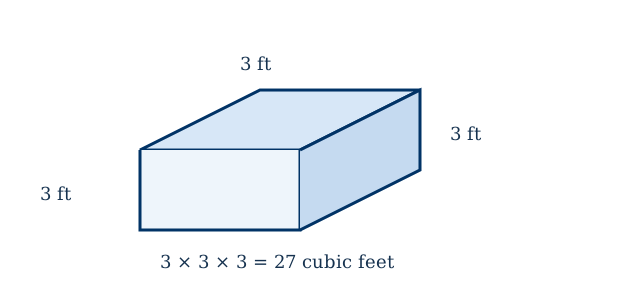
Loose material is ordered by the cubic yard. Multiply length, width, and depth in feet, then divide by 27. Weight in tons is that yardage times the material's density. Dry sand is near 1.3 tons per yard, compacted gravel near 1.4 to 1.5, and mulch closer to 0.4.
A worked example
A 12 foot by 40 foot driveway with 4 inches of gravel is 160 cubic feet, or 5.93 yards. At 1.4 tons per yard that is about 8.3 tons. At $45 a ton the stone is about $370 before delivery.
Feet, inches, square feet, and cubic yards have to be converted before they are multiplied. This cubic yards result should agree with area in square feet and tons from cubic yards.
Mistakes that move the answer
- Depth is the compacted depth you want, not the fluffy depth in the truck.
- A ton and a cubic yard are not the same amount. Ask the supplier which one the price uses.
How to check the result
After Calculate shows the cubic yards result, redo the last operation with a pencil using the rounded figures on the screen. Matching that check means the inputs were read correctly. If you edit a label or a sentence in this HTML file, reload the page. The form and this article both live in the file, so the edit is what visitors will read.